Here's something for my ADHD ass to play with.
I want this website to mostly be free of Javascript, so I won't put this on every page.
Here's something for my ADHD ass to play with.
I want this website to mostly be free of Javascript, so I won't put this on every page.
See how annoying this is?
See also The WWWorst App Store.
Normally, I don’t do “distro reviews”. There are many reviews online already, and I have unsually strict requirements for something I use daily.
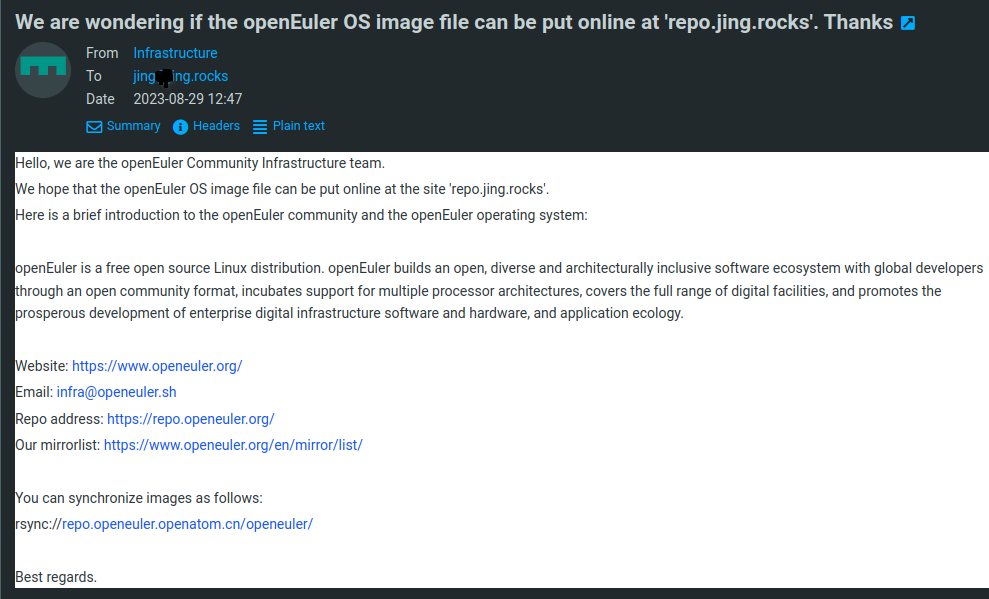
OpenKylin was dubbed “the first independent homegrown linux desktop distro” (sic) by many state media in China, and it announced its release 1.0 in mid 2023. This, without a doubt, is false advertising, and probably nationalist propaganda. I had been asked by “the infrastructure team of openEuler” to host a mirror of openEuler’s OS images. After some digging, openEuler seems to be an rpm-based distro that also has a Chinese homepage and many Chinese company logos on it while OpenKylin is Debian-based (or more accurately, Ubuntu-based). The two are both sponsored by the state, yet they claim to be community projects. As of the mirroring request, I politely refused of course, as it would not align with my philosophy, to provide better access to free software in the world.
One more distribution of GNU/Linux seems to be a good thing in general. I expect with more choices of flavors of OSes, more people will eventually turn to free software. Climbing the freedom ladder has to start with somewhere afterall. However, I was soon to be proven too naïve.
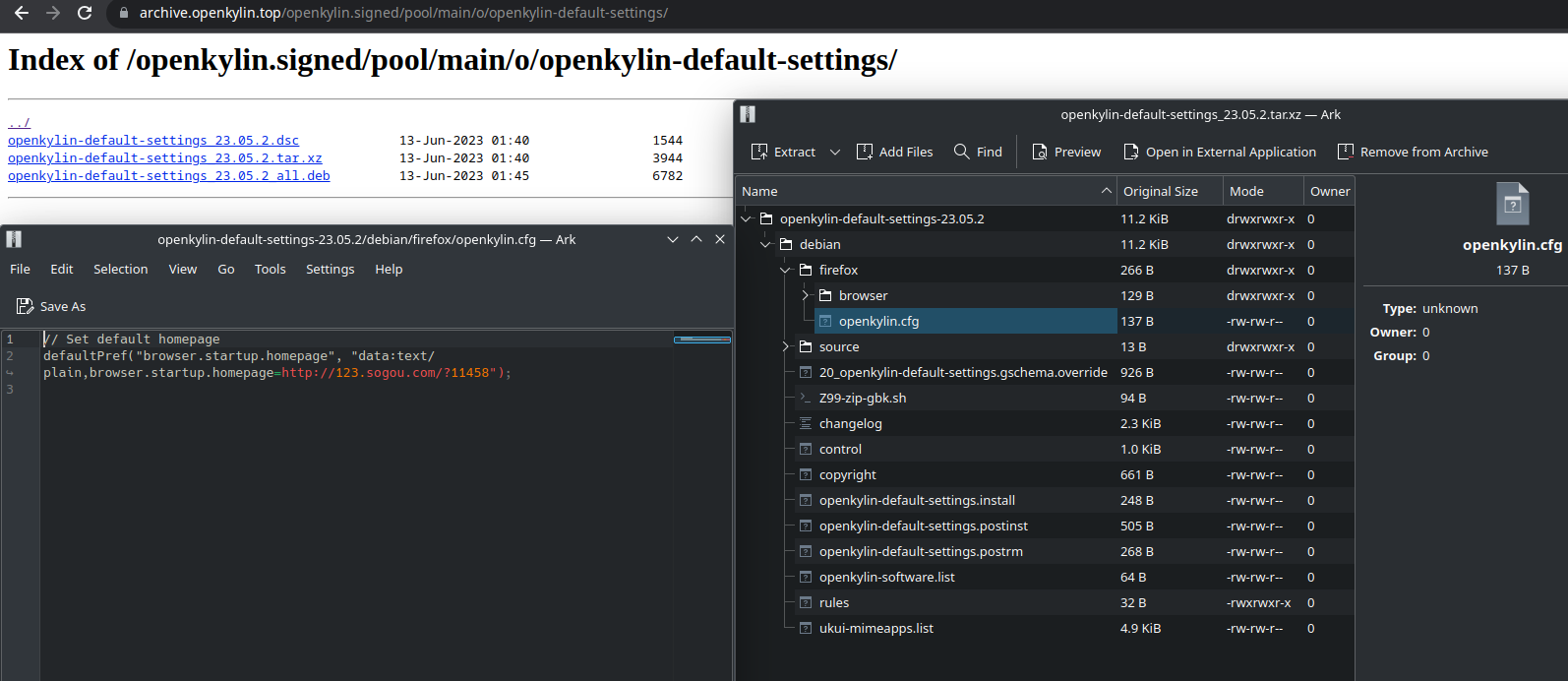
Casually browsing the repository, I found that Sougou is set to the startup homepage of the default browser Firefox. This was discovered in the package openkylin-default-settings-23.05.2.
I have read somewhere that it was just a remix of Ubuntu, but I decided to see for myself how good or how bad this OpenKylin was.
To no one’s surprise, OpenKylin’s website is in Chinese by default. The title of the page translates to “OpenKylin open source operating system”. The download is straight forward, but only MD5 checksum of the ISO image is offered on the website, no SHA256 or GPG signature. Are we in 1985?
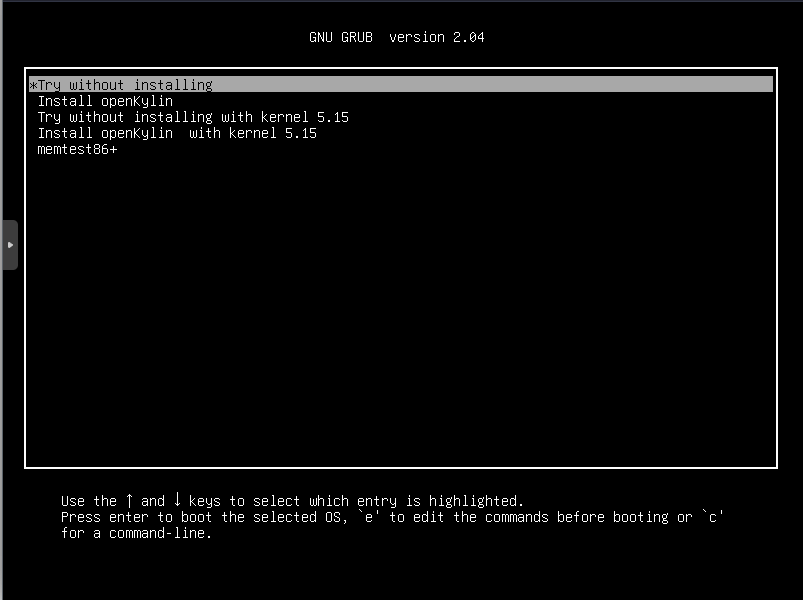
Using Qemu, I could not help but notice the installer uses outdated GRUB 2.04 version.
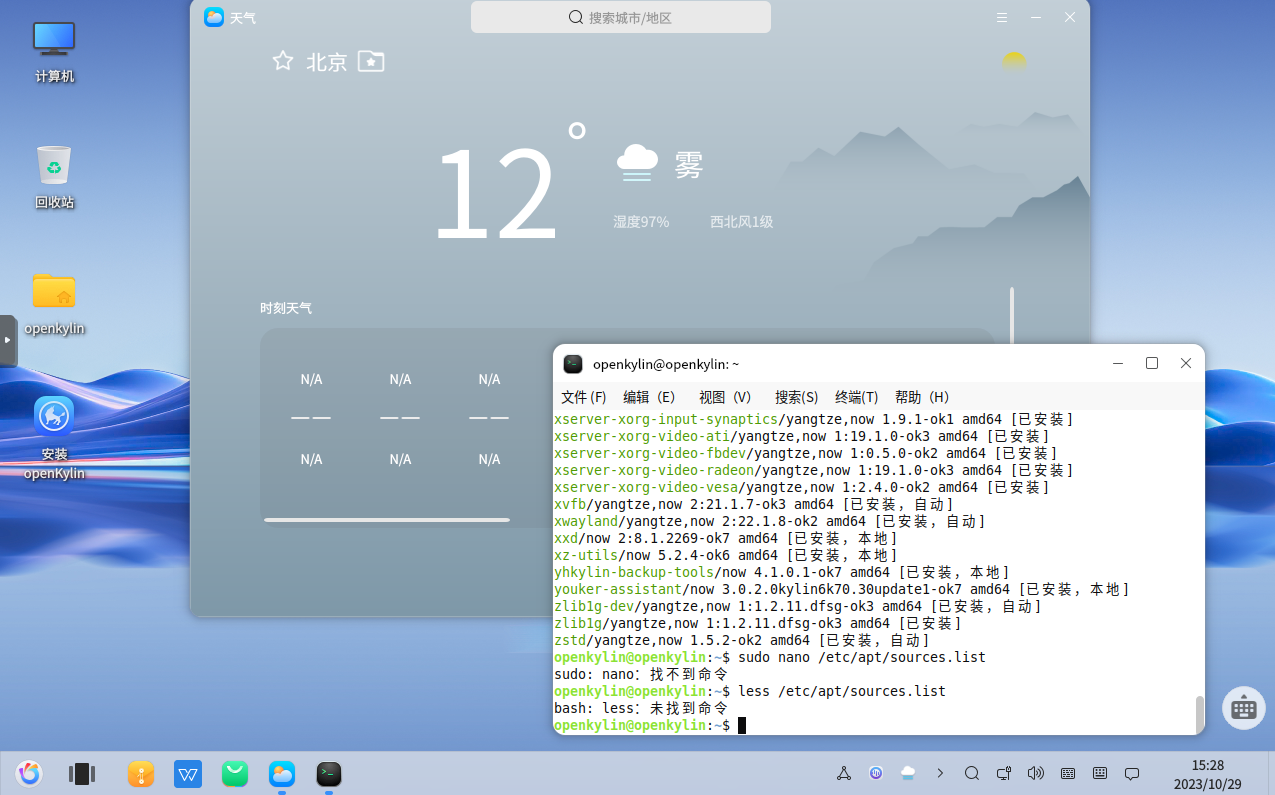
Booting into the LiveCD, the desktop environment looks good, but of course I
am not impressed by fancy UI. So I pressed Crtl + Alt + T to open the
terminal, and found out the rumors were true: some essential utilities are
missing. Notably the less from coreutils, GNU Nano, and man-db. These
are the three things I cannot live without.
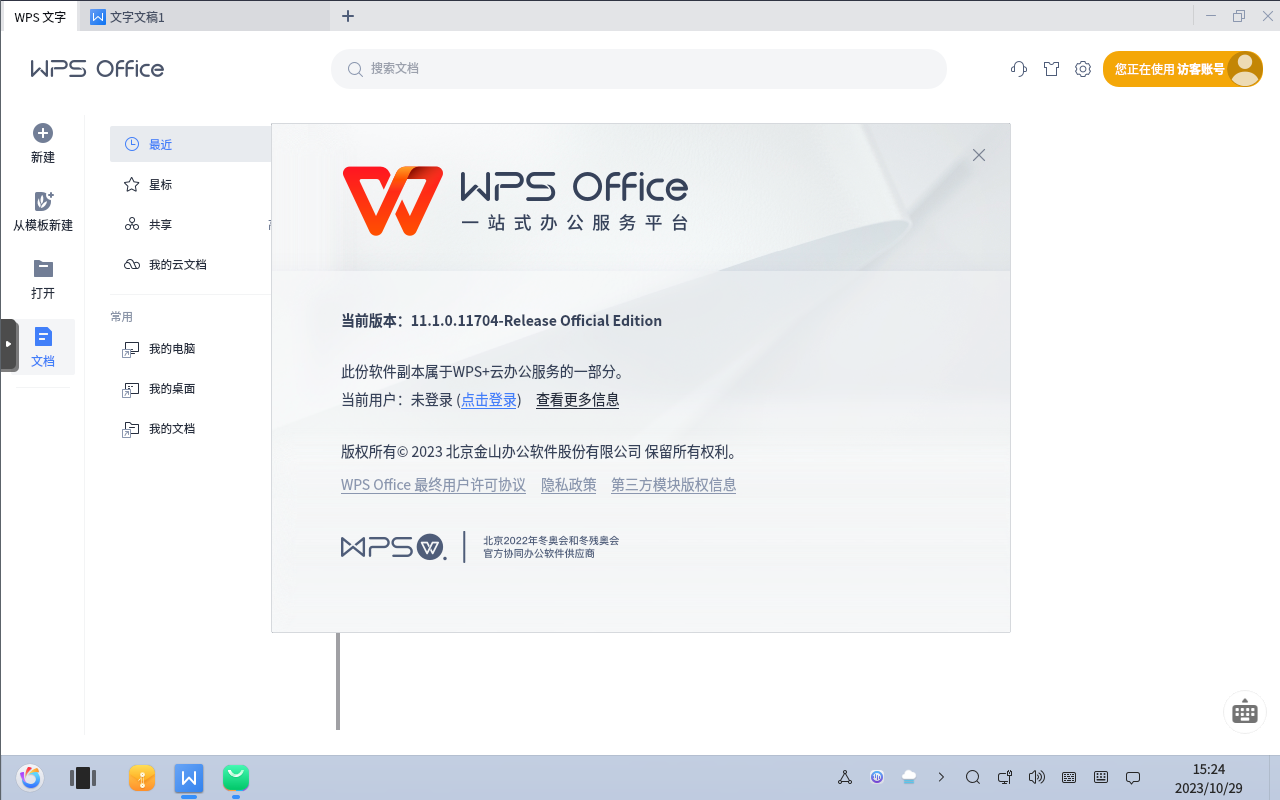
Poking around the desktop, I noticed a familiar “W” icon on the taskbar. It is a Microsoft Office clone, called WPS Office. This proprietary malware indeed is homegrown, a known offender of user freedom and privacy. In 2022, WPS deleted a user’s file because of “sensitive content”. I thought it was only on the LiveCD by default, but apparently I was wrong again.
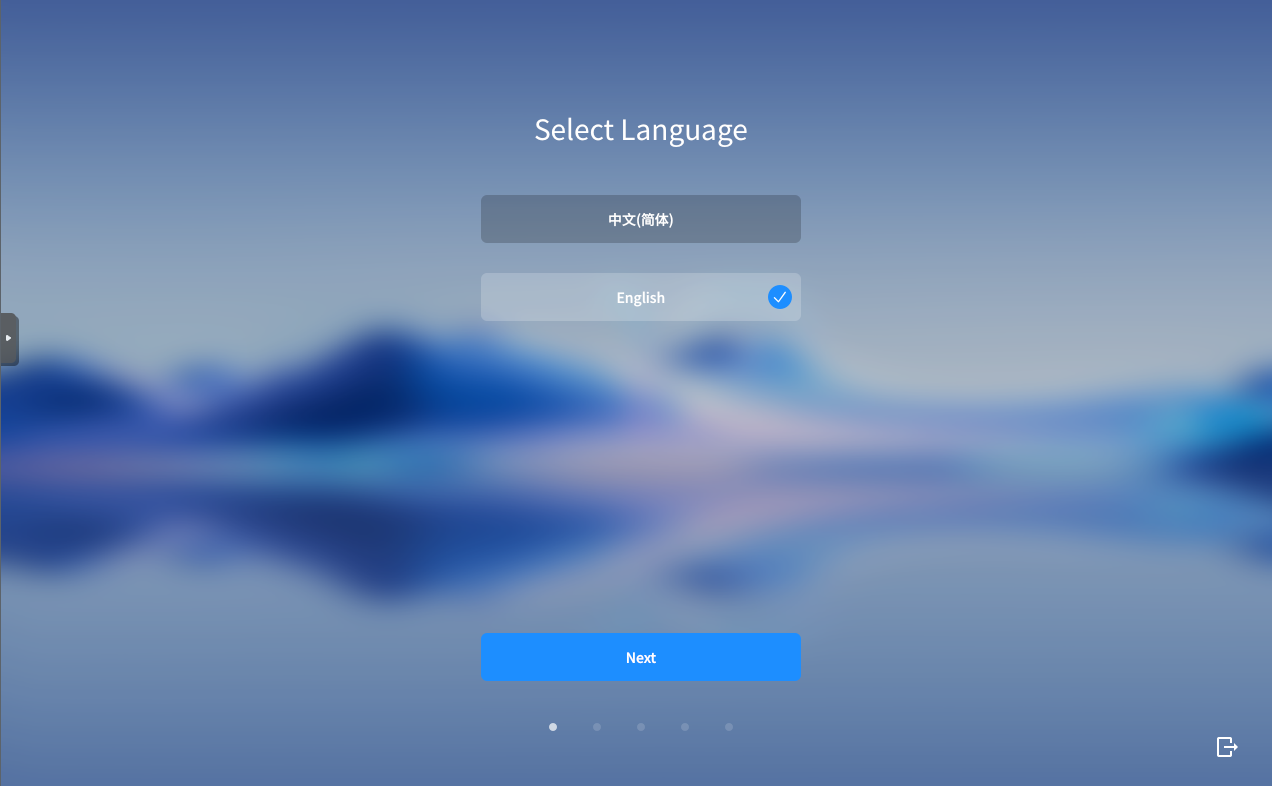
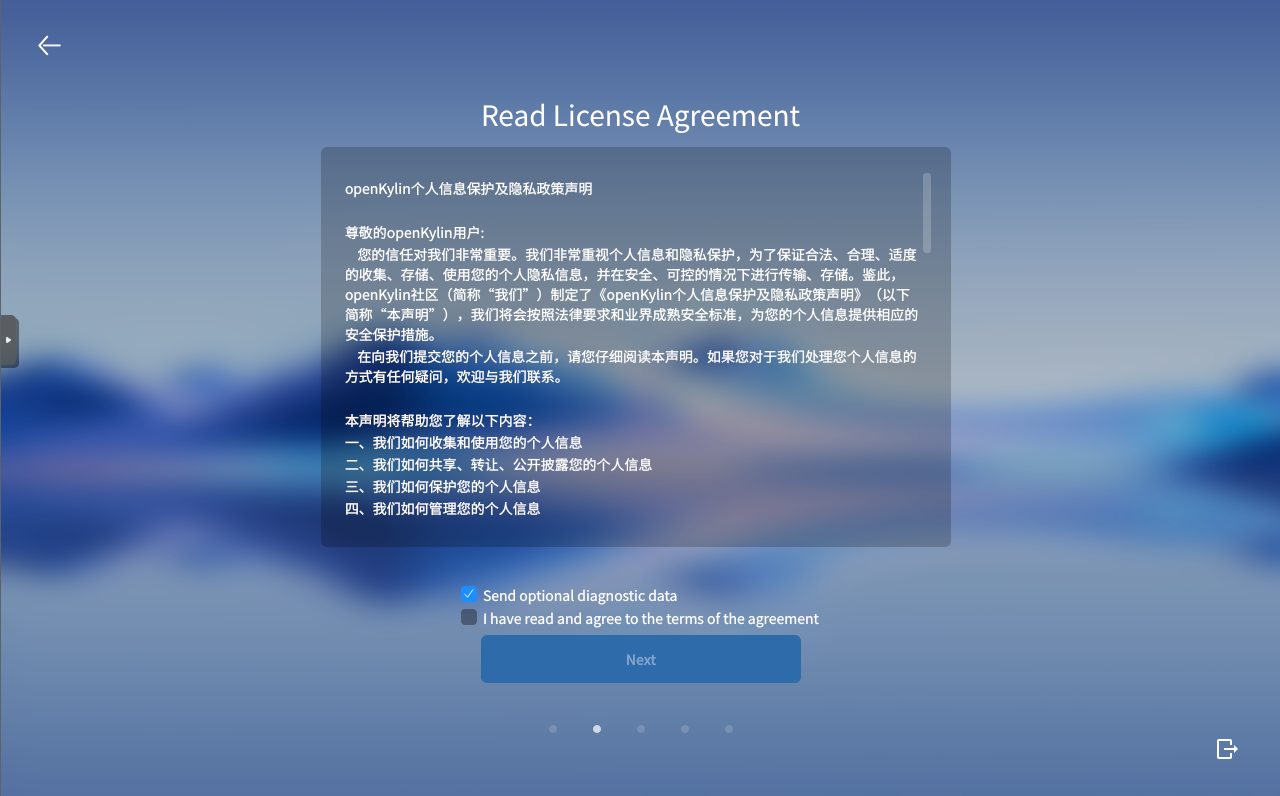
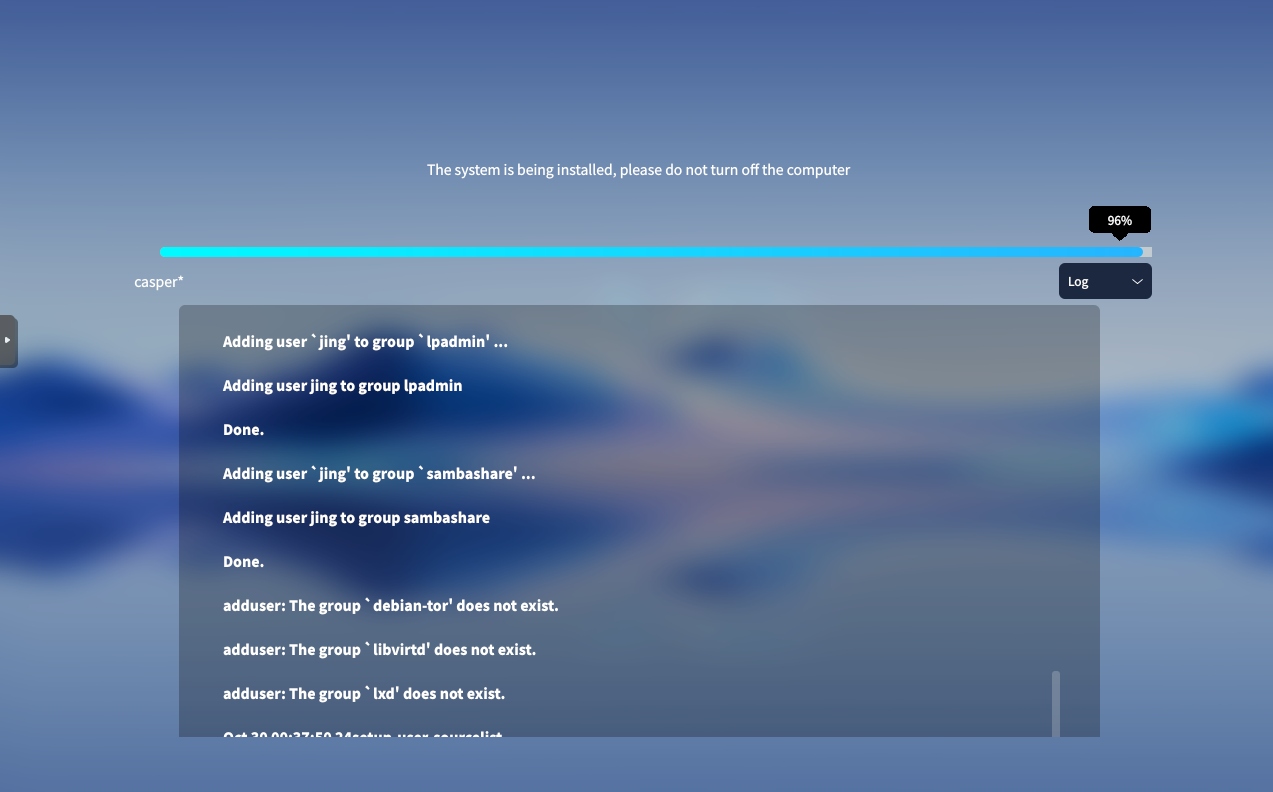
Time to install. The installer asked me to accept the license agreement. Despite I chose English language explicitly, I was presented the license agreement in Chinese. In short, the license agreement decribes how “we” (refers to “the OpenKylin community”) collect and use user data. Remember OpenKylin is endorsed and sponsored by the state.
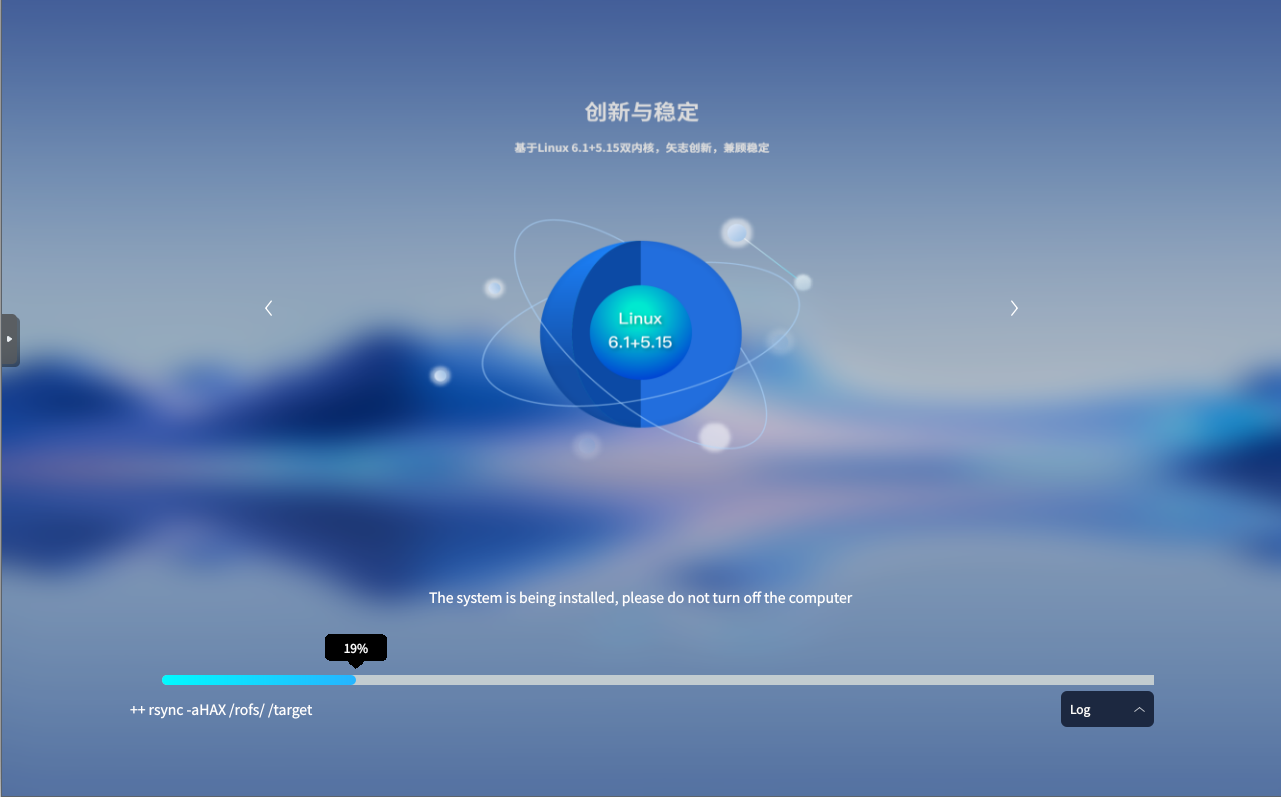
By default, Linux kernel 5.15 and 6.1 are installed. This becomes a selling point: the short text below translates to “innovation and stability” (whatever that means). Both 5.15.y and 6.1.y are LTS kernels, is there any point to install both?
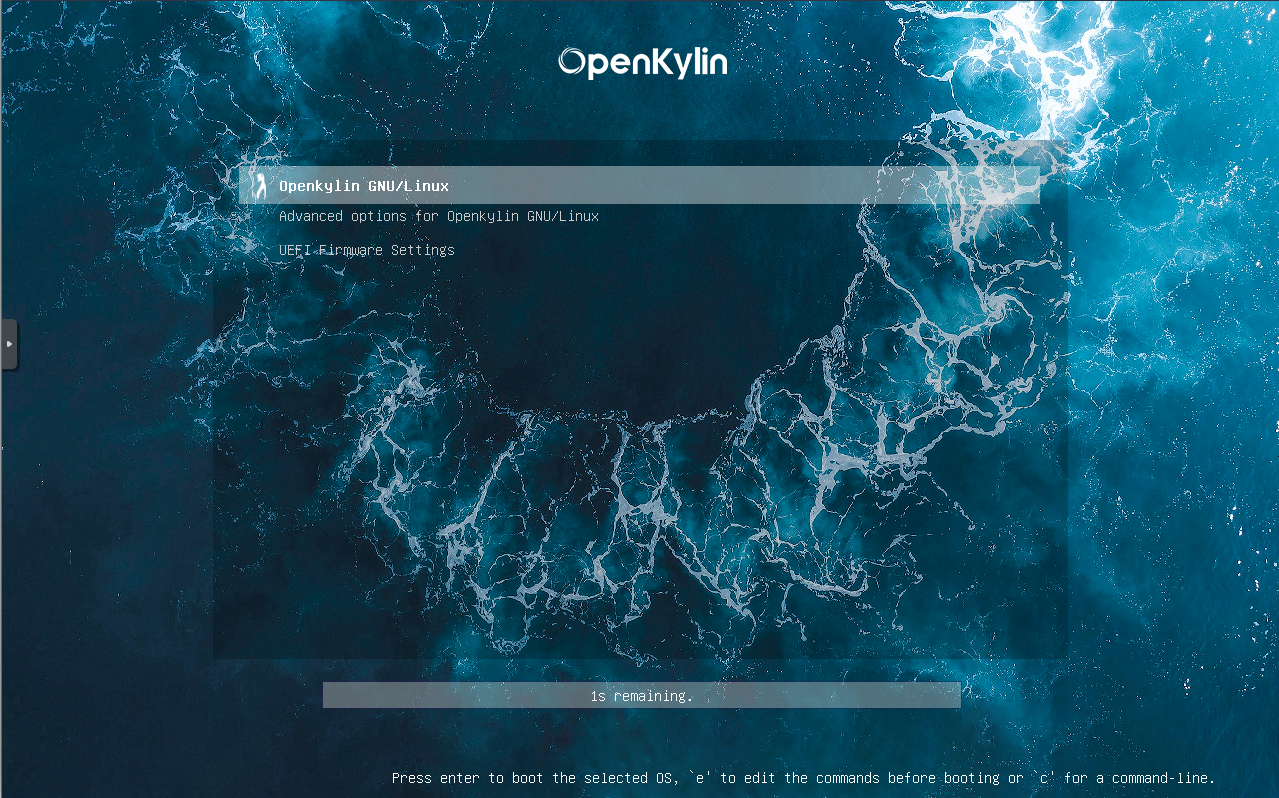
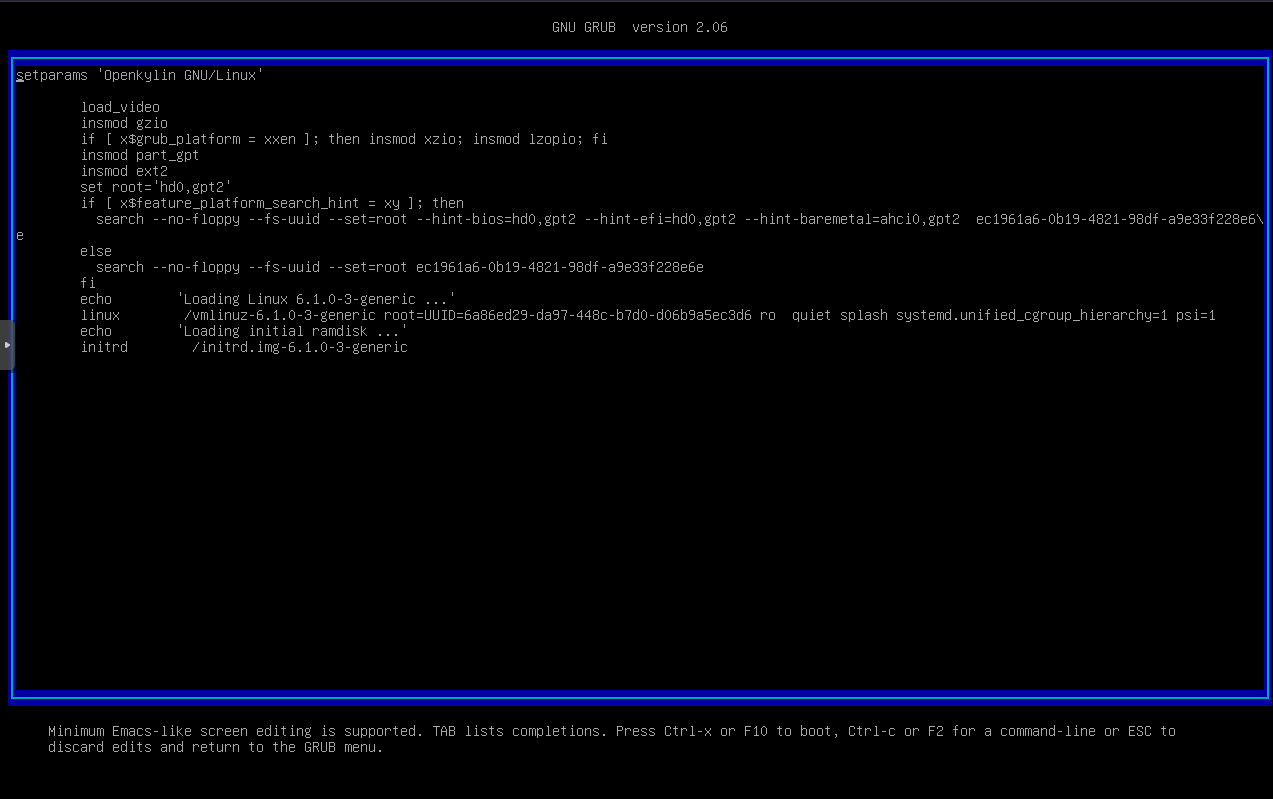
The bootloader is GRUB 2.06, the latest stable release at the time. To my surprise, the distro’s name in GRUB is called “OpenKylin GNU/Linux”, exactly on the boot menu. I am unsure if the maintainers are aware of what GNU project is or what it represents at all.
The next step would be finding the usual software I need on a daily basis. If I were a user that is not familiar with the command line, I would go to the package manager’s frontend GUI to install software. This frontend here is called “software store”. Having seen WPS Office installed by default, I did not expect much. I was greeted with a full page of Chinese proprietary software, many of which are known censors and malware, and it did not recommend any free software.
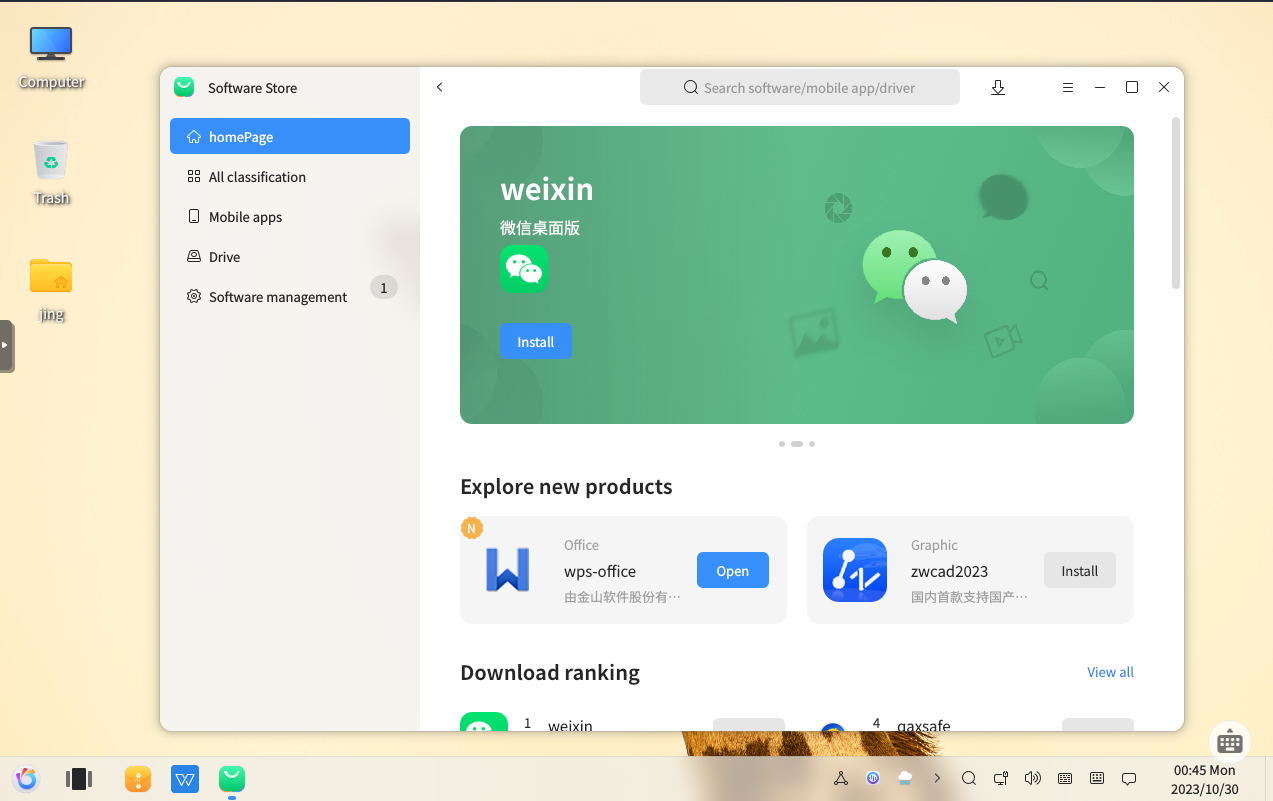
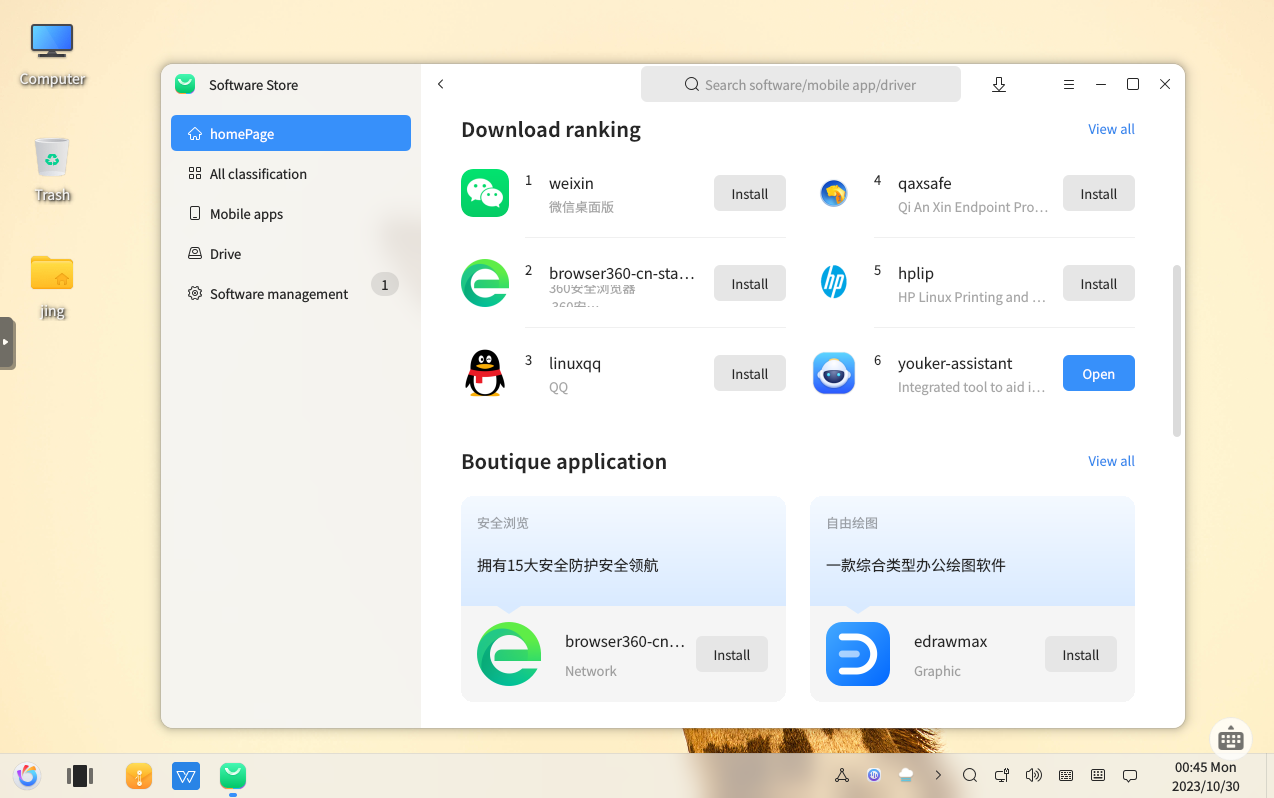
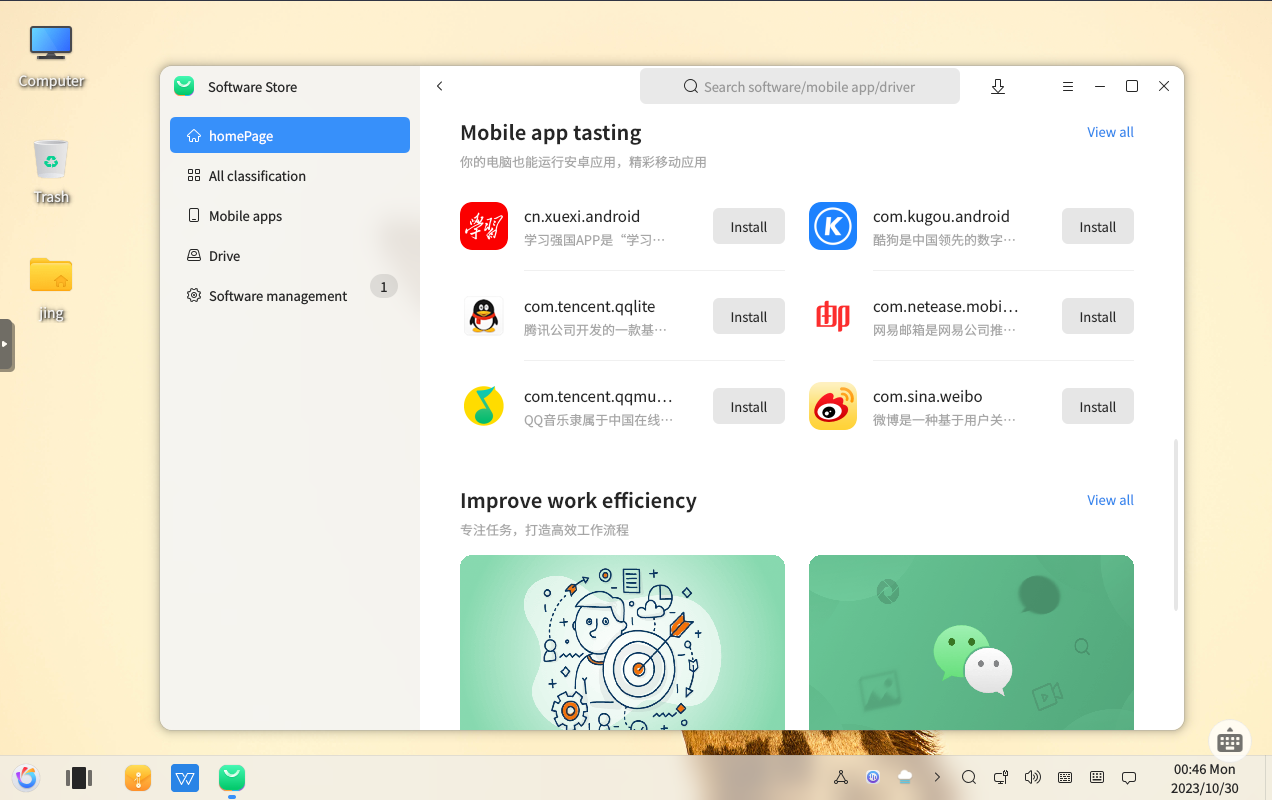
And there we are, “Weixin” a.k.a “Wechat”, the most popular instant messaging software in China, which banned my account for 24 hours in late 2022 for discussing sensitive content. “Baidu Netdisk”, a.k.a. “Baidu Cloud”, one of the most popular storage services in China, which permanently banned my account in 2014 for storing sensitive content. Storing some pdfs and video clips download from youtube, the next thing you know, you become an enemy of the state.
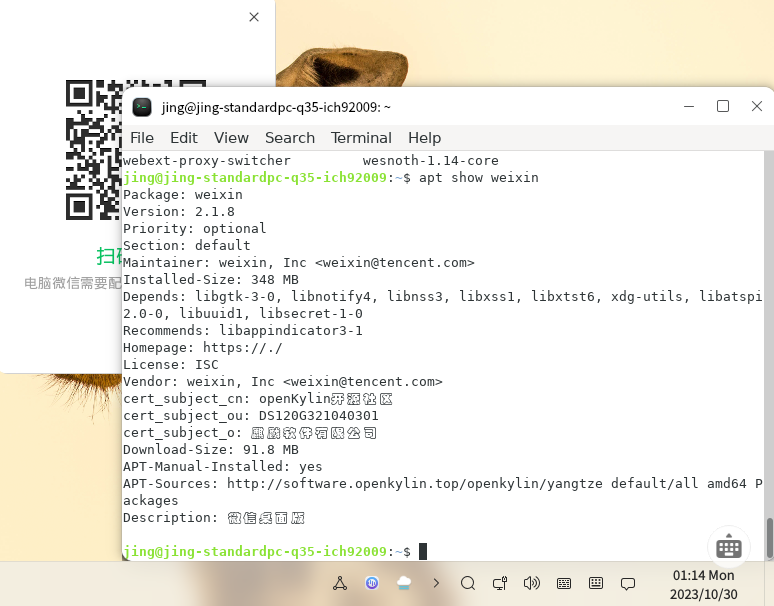
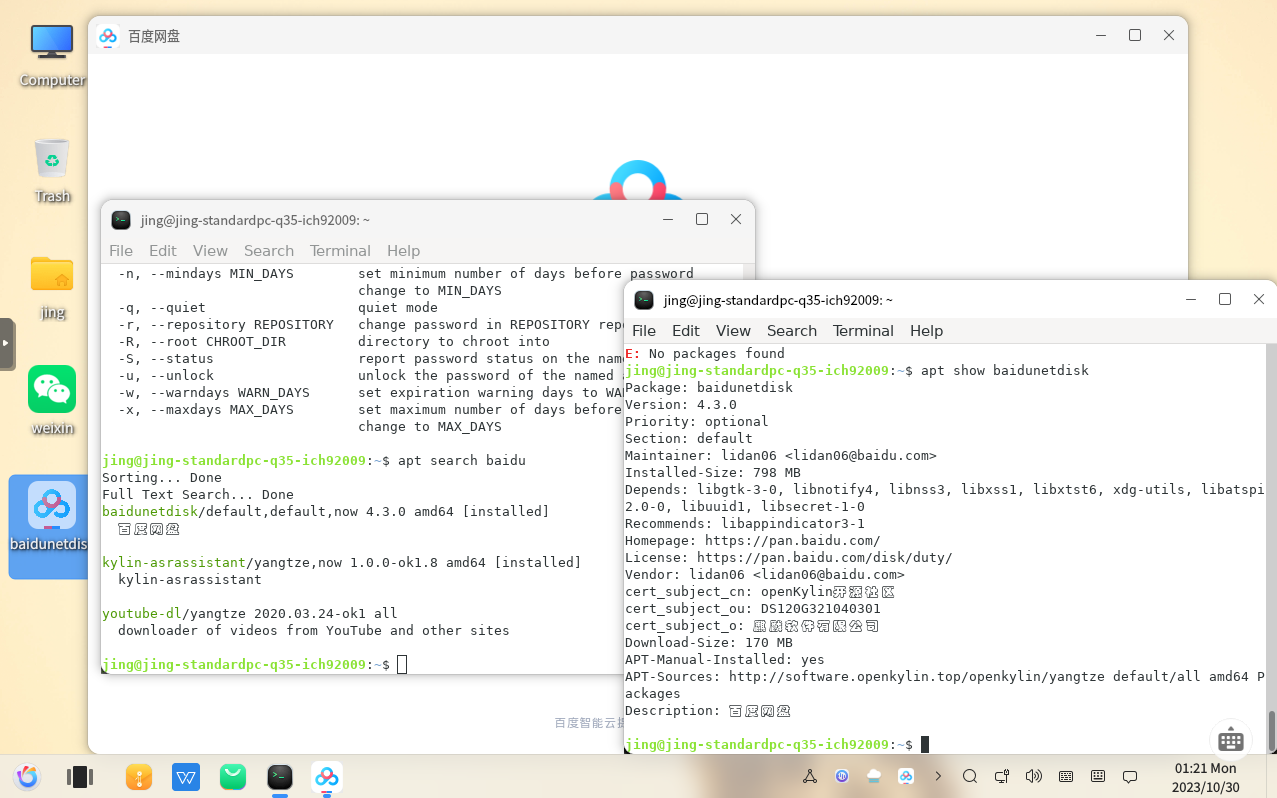
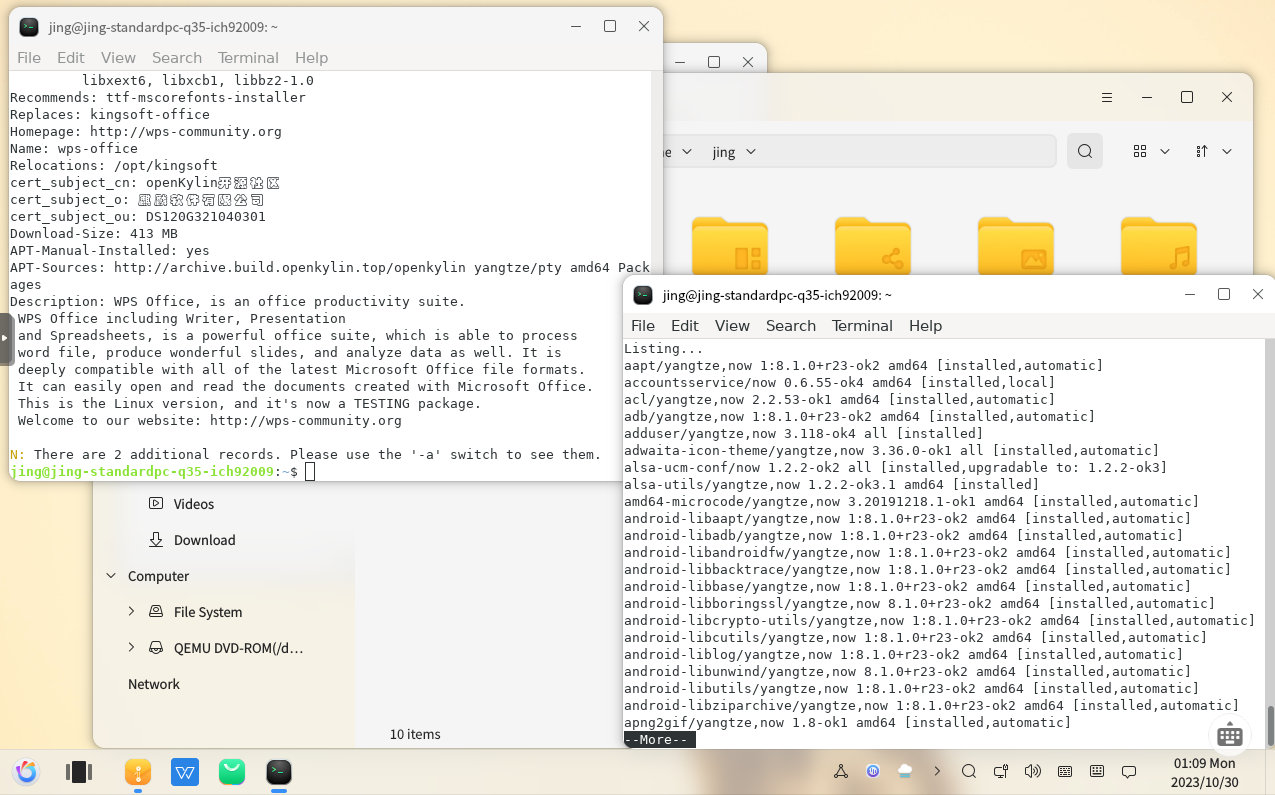
These proprietary software packages are are huge. There are a few theories to explain it:
a. they are not GNU/Linux-native software, so they use WINE
b. everything is statically linked
c. they include universal backdoor
d. all of the above
The installed system uses 12GB on disk, and 1.7GB memory after booting to desktop. What kind of bloatware is this? This is the first boot and the last boot, I will never use this system again.
There is no free software without free and good documentation. To no one’s surprise, OpenKylin fails on this too, and it fails badly. Its documentation can be considered non-existent compared to other distros.
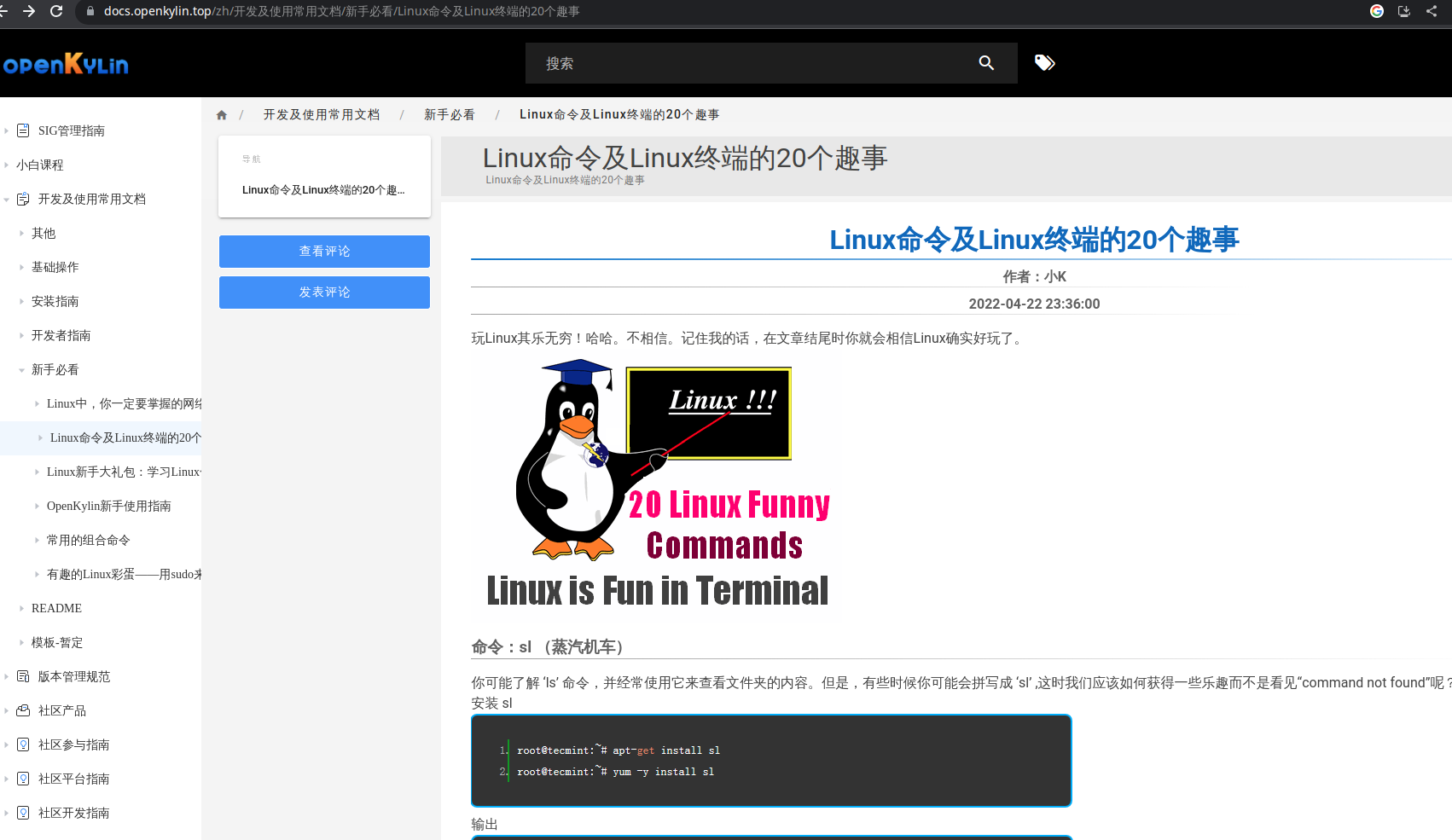
I discovered a few interesting things on the documentation section of the
OpenKylin website. It has a must read for newbie part, consisting of pages I
would consider to be blog posts rather than manuals or documentations. There
is one page titled 20 funny things about Linux commands and Linux terminal.
It has an joke with offensive, misogynistic language in the end, as the images
shown below. The Chinese text feels like a translation, and I was not wrong.
After an easy seach online, I found a blog post in English which matches the
Chinese text.
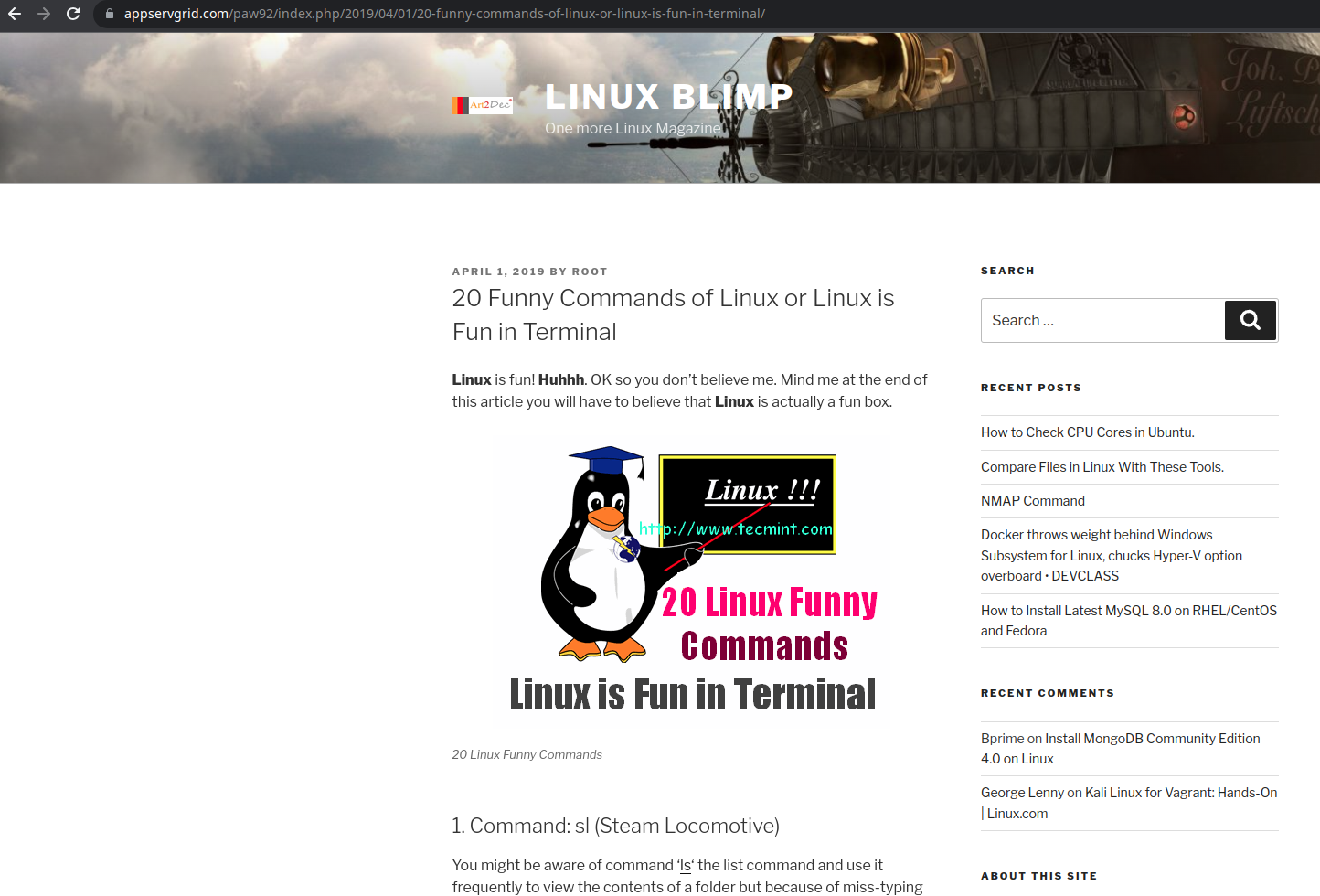
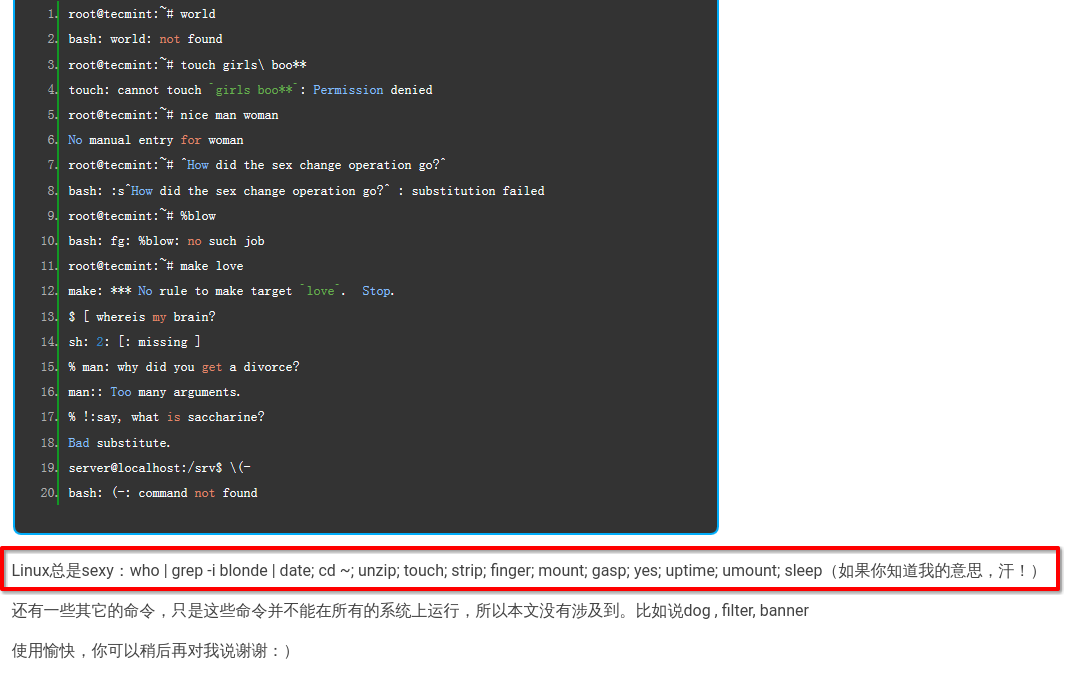
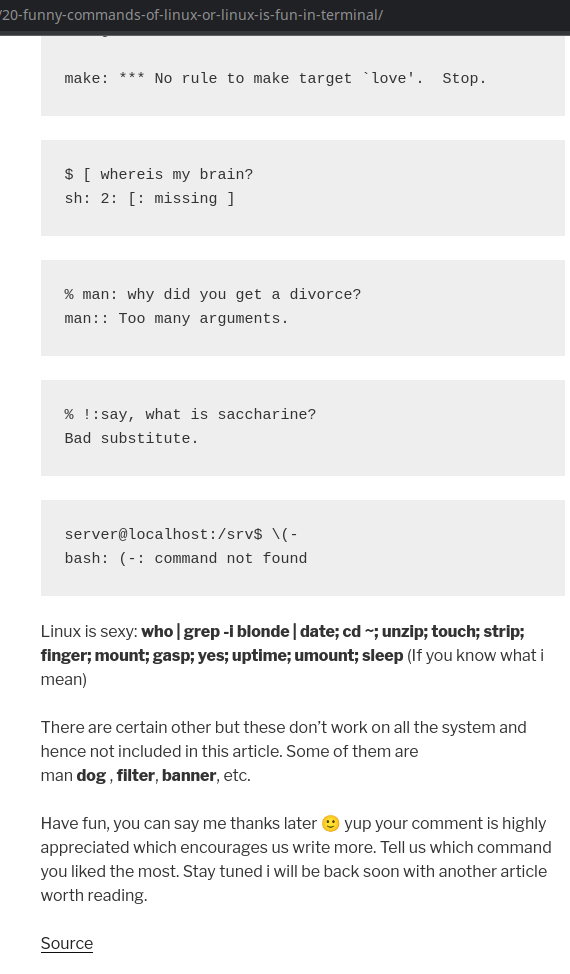
OpenKylin’s documentation pages has the CC-BY-SA 4.0 license by default, which is a good thing if they comply with the terms of license, namely the BY (give attribution) and SA (share-alike) part. Of course, the Chinese page on OpenKylin’s website does not credit to where it was adapted from, and the original work is likely non-free.
A few users on Reddit say there appears to be tons of segfaults in
dmesg,
mostly from ukui-settings-daemon and kylin-status-manager, two important
components of the desktop environment. I did not check dmesg, but I would not
be surprised. NVDIA’s proprietary GPU driver can also be found in OpenKylin’s
main repository.
OpenKylin bundles proprietary software and installs it by default. Users have no choice but to accept it during the installation. OpenKylin also actively recommends proprietary software in its “software store”. This is even much worse than the optionally free in some other distros. It does not deserve to have “GNU” or “Linux” in its name. It loudly rejects the ideal of Free Software Movement. In fact, it can be considered an attack on free software in whole, and it even turns its back on “open source” for that matter. It never cares about user or freedom at all.
I call for boycotting this distribution. The developers and maintainers with minimum ammount of conscience that care about Chinese users’ freedom should make a 100% free distro called LibreKylin instead.
Copyright 2024, Jing Luo.
This work is licensed under a Creative Commons Attribution 4.0 International license.
]]>It’s the world’s dependence on proprietary software. You get error messages when you open that spreadsheet with embbedded macros someone from work sent to you. You open an old spreadsheet you made, and find that the font size is all messed up because the (non-free) font it uses is not installed and cannot be installed. Your favorite video game on Steam requires DirectX 12, an API that is only natively supported on Windows. You install the Proton engine, a compatibility layer for games that can only run on Windows, hoping it would work, but later find out that the game has an anti-cheat system that utilizes a kernel mode driver, as well as enforces software DRM. You prepare to take the online AWS or CCNA exam at home, but the exam provider only offers a .exe executable for you to install on your PC, while explicitly disallows “linux” or virtual machines in their exam requirements.
“That’s it! linux has poor compatibility and not user friendly at all. I’m switching back to Windows”
Does this sound familiar to you? Except the “kernel mode driver anti-cheat”, all of the above have happened to me, a not-so-new GNU/Linux user, but I do not blame the incompatibility on any free software. Rather, it was proprietary (non-free) software that places artificial limitation on free standards/protocols, deliberately manufacturing and imposing incompatibility, so that the developers of such non-free software can have more power over users. The smearing campaign against the GNU/Linux operating systems in the 1990s and 2000s places blame on free software for such incompatibility. Moreover, it is more often a choice for developers of non-free software not to support the software’s interoperability, rather than techincal difficulties. Especially for video games, developing a game that can also run on GNU/Linux systems is much less profitable comparing to making it very attractive to Windows users.
In August 2023, I translated a page on gnu.org to Simplified Chinese and Japanese, which sheds a light on this proprietary incompatibility. This was my first time translating an article after joining the gnu.org Chinese translation team.
This work is licensed under a Creative Commons Attribution 4.0 International license.
]]>Total: 66 repos, 54 officially listed, 24 distinct GNU/Linux distros
| name | repo dir name | official status | upstream | sync frequency | health monitor | mirror list |
|---|---|---|---|---|---|---|
| Alma Linux | almalinux | official | rsync://rsync.repo.almalinux.org/almalinux/ | every 2 hr | https://mirrors.almalinux.org | |
| Alpine Linux | alpine | official | rsync://rsync.alpinelinux.org/alpine/ | every 20 min | https://mirrors.alpinelinux.org/ | |
| Arch Linux | archlinux | official [1] | rsync://rsync.archlinux.org/kitchensink_tier1 | every 2 min | https://archlinux.org/mirrors/jing.rocks/ | https://archlinux.org/mirrors/ |
| Arch Linux ARM | archlinuxarm | not yet official | rsync://dk.mirror.archlinuxarm.org/archlinuxarm/ | every 6 hr | https://www.archlinuxarm.org/about/mirrors | |
| Armbian APT | armbian-apt | not yet official | rsync://mirrors.dotsrc.org/armbian-apt/ | every 4 hr | https://github.com/armbian/mirror | |
| Armbian archive | armbian-archive | not yet official | rsync://rsync.armbian.com/archive/ | every week | https://github.com/armbian/mirror | |
| Armbian DL | armbian-dl | official | rsync://rsync.armbian.com/dl/ | every 4 hr | https://github.com/armbian/mirror | |
| Blender | blender | official | [7] | push | https://www.blender.org/about/website/ | |
| BLFS (Beyond Linux From Scratch) | blfs | official | rsync://rsync.osuosl.org/blfs/ | every 24 hr | https://www.linuxfromscratch.org/mirrors.html | |
| Debian GNU/Linux | debian | official | rsync://ftp.acc.umu.se/debian/ | every 20 min | https://mirror-master.debian.org/status/mirror-info/repo.jing.rocks.html | https://www.debian.org/mirror/list |
| Debian CD | debian-cd | official | rsync://cdimage.debian.org/debian-cd/ | push | https://www.debian.org/CD/http-ftp/#mirrors | |
| Debian cdimage (cdimage.debian.org) | debian-cdimage | unofficial [2] | rsync://mirror.accum.se/mirror/cdimage/ | every week | ||
| Debian Archive | debian-archive | official | rsync://archive-klecker.debian.org/debian-archive/ | every day | https://www.debian.org/distrib/archive | |
| Debian ports | debian-ports | official | rsync://debian.inf.tu-dresden.de/debian-ports/ | every 6 hr | https://www.ports.debian.org/mirrors | |
| Debian security | debian-security | unofficial [3] | rsync://mirrors.dotsrc.org/debian-security/ | every 2 hr | ||
| Devuan GNU/Linux | devuan | official | rsync://sledjhamr.org/devuan/ | every 30 min | https://sledjhamr.org/apt-panopticon/results/Report-web.html | https://repo.jing.rocks/devuan/mirror_list.txt |
| Devuan CD | devuan-cd | official | rsync://files.devuan.org/devuan/ | every 6 hr | https://www.devuan.org/get-devuan | |
| Dragora GNU/Linux-libre | dragora | official | rsync://rsync.dragora.org/dragora/ | every 12 hr | https://www.dragora.org/en/mirrors.html | |
| Fedora (the whole buffet, all you can eat) | fedora-buffet | official | rsync://download-ib01.fedoraproject.org/fedora-buffet0/ | every 20 min | https://admin.fedoraproject.org/mirrormanager/mirrors | |
| Fedora alternate content | fedora-buffet/alt | official | rsync://download-ib01.fedoraproject.org/fedora-buffet0/ | every 20 min | https://admin.fedoraproject.org/mirrormanager/mirrors | |
| Fedora archives | fedora-buffet/archive | official | rsync://download-ib01.fedoraproject.org/fedora-buffet0/ | every 20 min | https://admin.fedoraproject.org/mirrormanager/mirrors | |
| Fedora (the whole enchilada) | fedora-buffet/fedora | official | rsync://download-ib01.fedoraproject.org/fedora-buffet0/ | every 20 min | https://admin.fedoraproject.org/mirrormanager/mirrors | |
| Fedora EPEL | fedora-buffet/epel | official | rsync://download-ib01.fedoraproject.org/fedora-buffet0/ | every 20 min | https://admin.fedoraproject.org/mirrormanager/mirrors | |
| Fedora secondary archs | fedora-buffet/fedora-secondary | official | rsync://download-ib01.fedoraproject.org/fedora-buffet0/ | every 20 min | https://admin.fedoraproject.org/mirrormanager/mirrors | |
| FreeBSD | freebsd | unofficial [4] | rsync://ftp.iij.ad.jp/FreeBSD/ | every 4 hr | https://docs.freebsd.org/en/books/handbook/mirrors/ | |
| GIMP | gimp | official | rsync://master.gnome.org/gimp/pub/ | every 8 hr | https://www.gimp.org/donating/sponsors.html#official-mirrors | |
| GNOME | gnome | official | rsync://master.gnome.org/gnomeftp/ | every 8 hr | ||
| Gentoo | gentoo | official | rsync://masterdistfiles.gentoo.org/gentoo/ | every 4 hr | https://www.gentoo.org/downloads/mirrors/ | |
| Gentoo portage | gentoo-portage | not yet official | rsync://rsync.us.gentoo.org/gentoo-portage/ | every 30 min | https://www.gentoo.org/support/rsync-mirrors/ | |
| GNU | gnu | official | rsync://ftp.gnu.org/gnu/ | every 11 hr | https://download.savannah.gnu.org/mirmon/allgnu/ | https://www.gnu.org/prep/ftp.html |
| GNU-alpha | gnu-alpha | official | rsync://ftp.gnu.org/alpha/ | every day | https://www.gnu.org/prep/ftp.html | |
| Hyperbola GNU/Linux-libre and HyperbolaBSD | hyperbola | official | rsync://mirror.fsf.org/hyperbola/ | every 12 hr | https://www.hyperbola.info/mirrors/repo.jing.rocks/ | https://www.hyperbola.info/mirrors/ |
| Jenkins | jenkins | official | rsync://mirror.freedif.org/jenkins/ | every day | https://get.jenkins.io/debian/jenkins_2.468_all.deb?mirrorstats | |
| Kali Linux | kali | official | rsync://archive.kali.org/kali/ | push | https://mirror-traces.kali.org/mirror-info/repo.jing.rocks.html | https://mirror-traces.kali.org/ |
| Kali Linux images | kali-images | official | rsync://archive.kali.org/kali-images/ | every 12 hr | https://mirror-traces.kali.org/mirror-info/repo.jing.rocks.html | https://cdimage.kali.org/README.mirrorlist |
| KDE | kde | official | rsync://rsync.kde.org/kdeftp | every 2 hr | https://download.kde.org/?mirrorstats | https://download.kde.org/?mirrorstats |
| KDE application data | kde-applicationdata | official | rsync://rsync.kde.org/applicationdata | every 2 hr | https://files.kde.org/?mirrorstats | https://files.kde.org/?mirrorstats |
| LFS (Linux From Scratch) | lfs | official | rsync://rsync.osuosl.org/lfs/ | every 24 hr | https://www.linuxfromscratch.org/mirrors.html | |
| linuxfromscratch.org | lfs-website | official | rsync://www.linuxfromscratch.org/lfs-website/ | every 12 hr | https://lfs.jing.rocks/ | https://www.linuxfromscratch.org/mirrors.html |
| Linux-libre | linux-libre | official | rsync://rsync.linux-libre.fsfla.org/linux-libre/ | every 12 hr | https://www.fsfla.org/ikiwiki/selibre/linux-libre/index.en.html#mirrors | |
| Linux Mint | linuxmint | official | rsync://pub.linuxmint.com/pub/ | every 8 hr | https://linuxmint.com/mirrors.php | |
| Linux Mint ISOs | linuxmint-iso | official | rsync://rsync-packages.linuxmint.com/packages/ | every 12 hr | https://linuxmint.com/mirrors.php | |
| MX Linux | mxlinux | official | rsync://iso.mxrepo.com/workspace/ | every 12 hr | http://rsync-mxlinux.org/mirmon/packages.html | |
| MX Linux ISOs | mxlinux-iso | official | rsync://rsync-mxlinux.org/MX-Linux/ | every 12 hr | http://rsync-mxlinux.org/mirmon/ | |
| NetBSD | netbsd | not yet official | rsync://ftp.riken.jp/netbsd/ | every 1 hr | http://www.netbsd.org/mirrors/ | |
| Nongnu (savannah.nongnu.org) | nongnu | official | rsync://mirror.accum.se/mirror/gnu.org/savannah/ | every 23 hr | https://download.savannah.gnu.org/mirmon/savannah/ | http://dl.sv.gnu.org/releases/00_MIRRORS.html |
| OpenBSD | openbsd | official | rsync://openbsd.cs.toronto.edu/openbsd/ | every 4 hr | https://www.openbsd.org/ftp.html | |
| OpenWRT | openwrt | official | rsync://rsync.openwrt.org/downloads/ | every 23 hr | https://openwrt.org/downloads#mirrors | |
| OpenWRT sources | openwrt-sources | unofficial [5] | rsync://rsync.openwrt.org/sources/ | every 24 hr | ||
| Parabola GNU/Linux-libre | parabola | official | rsync://rsync.cyberbits.eu/parabola/ | every 20 min | https://www.parabola.nu/mirrors/jing.rocks | https://www.parabola.nu/mirrors/ |
| Raspbian | raspbian | not yet official | rsync://archive.raspbian.org/archive/ | every 4 hr | https://www.raspbian.org/RaspbianMirrors | |
| Rocky Linux | rocky | official | rsync://msync.rockylinux.org/rocky/mirror/pub/rocky/ | every 2 hr | https://mirrors.rockylinux.org/mirrormanager/mirrors | |
| Rocky Linux SIGs | rocky-sigs | official | rsync://msync.rockylinux.org/rocky-sigs/ | every 2 hr | https://mirrors.rockylinux.org/mirrormanager/mirrors | |
| Rocky Linux Vault | rocky-vault | official | rsync://msync.rockylinux.org/rocky-vault/ | every 8 hr | https://mirrors.rockylinux.org/mirrormanager/mirrors | |
| Slackware | slackware | official | rsync://mirror.slackbuilds.org/slackware/ | every 8 hr | https://mirrors.slackware.com/mirrorlist/ | |
| Tails | tails | official | rsync://mirrors.rsync.tails.boum.org/amnesia-archive/tails/ | every 1 hr | ||
| Trisquel GNU/Linux | trisquel | official | rsync://rsync.trisquel.org/trisquel.packages/ | every 2 hr | https://trisquel.info/en/wiki/mirroring-trisquel | |
| Trisquel GNU/Linux ISOs | trisquel-iso | official | rsync://rsync.trisquel.org/trisquel.iso/ | every 6 hr | https://trisquel.info/en/wiki/mirroring-trisquel | |
| Turnkey GNU/Linux | turnkeylinux | official | rsync://mirror.turnkeylinux.org/turnkeylinux/ | every 1 hr | https://www.turnkeylinux.org/mirrors | |
| Ubuntu | ubuntu | official | rsync://rsync.archive.ubuntu.com/ubuntu/ | every 6 hr | https://launchpad.net/ubuntu/+mirror/repo.jing.rocks-archive | https://launchpad.net/ubuntu/+archivemirrors |
| Ubuntu releases | ubuntu-releases | official | rsync://rsync.releases.ubuntu.com/releases/ | every 4 hr | https://launchpad.net/ubuntu/+mirror/repo.jing.rocks-ubuntu-releases | https://launchpad.net/ubuntu/+cdmirrors |
| Ubuntu ports | ubuntu-ports | official | rsync://rsync.ports.ubuntu.com/ubuntu-ports/ | every 6 hr | https://launchpad.net/ubuntu/+mirror/repo.jing.rocks-ubuntu-ports | https://launchpad.net/ubuntu/+archivemirrors |
| Ubuntu cdimage (cdimage.ubuntu.com) | ubuntu-cdimage | kind of official | rsync://rsync.cdimage.ubuntu.com/cdimage/ | every day | https://launchpad.net/ubuntu/+mirror/repo.jing.rocks-ubuntu-cdimage | |
| Ubuntu old releases | ubuntu-old-releases | unofficial [6] | rsync://old-releases.ubuntu.com/ubuntu-old-releases/ | every week | ||
| VideoLAN | videolan | official | rsync://rsync.videolan.org/videolan-ftp-full/ | every 6 hr | https://get.videolan.org/vlc/3.0.20/vlc-3.0.20.tar.xz?mirrorstats | https://www.videolan.org/videolan/mirrors.html |
| Void Linux | voidlinux | official | rsync://mirror.accum.se/mirror/voidlinux/ | every 2 hr | https://docs.voidlinux.org/xbps/repositories/mirrors/index.html |
[1] is a Tier 1 Arch mirror.
[2] should not be mirrored, but I mirror it anyway. It has daily and weekly builds of debian-cd.
[3] should not be mirrored. Debian project recommends downloading from security.debian.org, but since Devuan users also need this repo, I mirror it anyway.
[4] currently does not accept new mirrors.
[5] is mirrored so that the executables and the source codes are on the same server, which is considered more appropriate for GPL’ed software.
[6] should not be mirrored, but I mirror it anyway.
[7] not published per upstream’s request.
]]>I fired my therapy dog
Looking at me he is not
Playing with the toy I bought
Sleeping like a silent rock
I fired my therapy dog
Forever I am lost
I failed to feed him food
He was unable to calm my mood
I fired my therapy dog
"Stop licking my sock"
To him I've always been true
Left me with his baby tooth
I can no longer exploit my dog
For he's more depressed than me now
How can I ever go to sleep
Never wanted him to leave
That's when I realize
I never had a dog
This work is licensed under a Creative Commons Attribution-ShareAlike 4.0 International License.
]]>NVMe over TCP is like iSCSI, a standard for network-based storage. It provides block-level access to NVMe drives over TCP/IP, having much higher performance than iSCSI.
iSCSI was originally designed for SCSI drives, i.e. SSD (Slow Spinning Disks). It’s an old protocol that does not suit the needs of today’s SSDs.
The kernel Linux has native support for NVMe over TCP.
Target:
Motherboard: Supermicro H12SSL-NT
CPU: AMD EPYC 7282
RAM: plenty
Storage: 4 x 7.68TB Kioxia CD6 U.3 NVMe SSD, ZFS RAIDz1
Network: Onboard Broadcom 10GbE
OS: Debian 12 (bookworm)

Initiator:
Motherboard: a good one
CPU: AMD Ryzen 9 5950X
RAM: plenty
Network: TP-link AQC107 10GbE
OS: Arch Linux, kernel 6.3.y
They are connected to the switch ports of my home router (OpenWRT x86_64 on Ryzen 3 3100 with Intel X710 10GbE, promiscuous mode on).
MTU is set to 9000.
Install nvme-cli package from the distro’s package manager, if not
already installed.
Load nvmet-tcp kernel module if it is not loaded at boot:
modprobe nvmet-tcp
Alternatively, let the kernel load nvmet-tcp kernel module at boot:
echo "nvmet_tcp" > /etc/modules-load.d/nvmet_tcp.conf
mkdir /sys/kernel/config/nvmet/subsystems/mysub
cd /sys/kernel/config/nvmet/subsystems/mysub
echo 1 > attr_allow_any_host
If the kernel module nvmet-tcp is loaded, directory
/sys/kernel/config/nvmet should exist.
If running as sudo, echo 1 > attr_allow_any_host might fail. In this
case, su root or try echo 1 | sudo tee -a attr_allow_any_host >
/dev/null instead.
Before creating a namespace for the target, use lsblk or nvme
list to find out the name of the NVMe device to be attached to the
target (i.e. /dev/nvme0n1).
Next, create and configure a namespace 1:
mkdir /sys/kernel/config/nvmet/subsystems/mysub/namespace/1
cd /sys/kernel/config/nvmet/subsystems/mysub/namespace/1
echo -n /dev/nvme0n1 > device_path
echo 1 > enable
1 for an initiator to connect:mkdir /sys/kernel/config/nvmet/ports/1
cd /sys/kernel/config/nvmet/ports/1
echo "ipv4" > addr_adrfam
echo "tcp" > addr_trtype
echo 4420 > addr_trsvcid
echo 192.168.0.231 > addr_traddr
Here, our target has a static IPv4 address 192.168.0.231. 4420 is
the common port number used for NVMe-oF connection.
mysub subsystem to the port 1ln -s /sys/kernel/config/nvmet/subsystems/mysub/ /sys/kernel/config/nvmet/ports/1/subsystems/mysub
Using dmesg | grep nvme_tcp, we can see in the kernel log that the
port is enabled.
Install nvme-cli package from the distro’s package manager, if not
already installed.
Load nvme-tcp kernel module (NOT nvmet-tcp) if it is not
loaded at boot:
modprobe nvme-tcp
Alternatively, let the kernel load nvme-tcp kernel module at boot:
echo "nvme_tcp" > /etc/modules-load.d/nvme_tcp.conf
nvme discover -t tcp -a 192.168.0.231 -s 4420
nvme connect -t tcp -a 192.168.0.231 -s 4420 -n mysub
The subsystem NQN argument -n mysub can be replaced by a host NQN,
which is stored in the target’s /etc/nvme/hostnqn. The command will
look like this:
nvme connect -t tcp -a 192.168.0.231 -s 4420 --hostnqn=nqn.2014-08.org.nvmexpress:uuid:1b4e28ba-2fa1-11d2-883f-0016d3ccabcd
nvme list or lsblk for the attached device. To disconnect,
first unmount the mounted NVMe device, then run nvme disconnect:nvme disconnect /dev/nvme2n1 -n mysub
Definitely faster than NFS, Samba, or iSCSI.
After formatting the zvol to ext4, I was able to use the package
fio-3.34 to test the I/O performance. Here is the test profile I
used:
[global]
bs=4k
ioengine=libaio
iodepth=32
size=1g
numjobs=16
direct=1
refill_buffers=1
runtime=60
directory=/mnt
group_reporting=1
filename=ssd.test.file

[rand-read]
rw=randread
stonewall

[rand-write]
rw=randwrite
stonewall
I got about 650MB/s sequential read/write and about 90K IOPS random read/write, slightly better than a typical SATA SSD. The numbers were not great, probably because of the suboptimal zpool setup. Mounting the zvol on the target directly, I only got about 1.5GB/s sequential read. Also, the ethernet adapter at the initiator’s side, AQC107, is known to be not very stable and sometimes overheat (and no support for RDMA). It would be better if I had a 25Gb or 40Gb network adapter.
Simply put, the server sends a stream of video, audio, and optionally subtitles, over the internet, to the client.
The difference between streaming and downloading a video file is that streaming is real-time. The user does not have to wait until the whole file is downloaded. The server divides the video file into many parts and serves a bit of it at a time, and the client downloads it and plays it. If the internet connection allows, depending on the speed and latency of the connection, the server serves more parts of the video file, and the client downloads it and saves it locally, which is called buffering so that the video can play more smoothly.
A large video is like a lake, and streaming is like a stream or river, the quality and experience of streaming largely depend on the width of the stream (the quality of said internet connection).
See more on What is streaming? - How video streaming works - Cloudflare
Jellyfin is a free (as in freedom) software media system, a free (also as in free beer) media solution that consists of both server and client, uses HLS (HTTP Live Streaming protocol) to stream media from server to client, and allows users to have complete control of their media.
A Jellyfin server requires installation of software packages on an appropriate OS/platform. After the server installation, the user is expected to create a library and to add/import media into the library. Most people also set up a NFS share to share the storage over network, as well as GPU hardware acceleration for real-time transcoding.
After properly setting up the server, the user can use a browser or other clients to connect to the server and stream media.
This is a non-exhausted list of what I have experienced:
The server cannot access the media files (permission denied, need to properly set the file system permission)
Green artifacts appear on the transcoded video when using AMD GPU (Radeon RX 6600XT) with VAAPI hardware acceleration
Messed up metadata
Unresponsive browser window (Chrome’s fault probably)
Stuttering and low performance when playing 4K H265 10-bit HDR video (had to manually transcode to H264 8-bit SDR)
When attempting to play anything at all, it displays a pop-up “Playback error - This client isn’t compatible with the media and the server isn’t sending a compatible media format.” (solved by restarting the browser, still happening a few times a week as of May 2023)
Chrome refuses to directly play 4K H265 10-bit HDR video even though it reported that hardware support is enabled
Stuck at loading (while I am writing this)
The issues can be roughly divided into these categories: network, server, and client. Network issues are very complicated, so let’s focus on the server side and the client side of the problem.
Why can some videos “Direct Play” or “Direct Stream” but others require “transcoding”? To answer this, one must know something called codec support.
Many people are familiar with video files with the extensions mp4, avi,
mov, mkv, m4v, webm, vob, 3gp, flv, rmvb, and people that have
used a computer long enough typically experienced the pop-up error
unsupported video format, which is usually shown when a video player does
not support such video file. File extensions like mp4 and mkv are merely
the name of the container of video, audio, and subtitles. How video or audio
is encoded is another story. A raw video consists of frames of pictures like
analog films. The pictures become a movie when they are moved/played at a
certain speed, typically about 24 frames per second. In the digital age,
video formats are specific ways to code/compress video into something a
machine can understand, in other words, 1s and 0s. Some containers can hold
almost all codecs while others may have limited support for certain formats.
Codec is defined as software or hardware that encodes or decodes a data
stream or signal. Here, sometimes the
term codec is used loosely referring to media formats.
Typically DVDs use MPEG-2 Part 2 as the main video codec, a.k.a. H.262, or
simply MPEG-2. This is decided by the DVD
standard.
On the other hand, Blu-rays use MPEG-4 Part 10 or H.264 or AVC (Advanced
Video Coding). This is
by far the most popular video codec, and nearly all video players, (software,
or dedicated Blu-ray playback hardware) support it.
To support 4K UHD on Blu-ray, a newer and more efficient codec was developed,
named MPEG-H Part 2 or H.265 or HEVC (High Efficiency Video
Coding). It is
able to maintain the same quality while reducing the file size from 25% to 50%
compared to H.264, and it supports
HDR (High
Dynamic Range video). HDR has a much larger color range, in other words, it
can display much more color, brightness, and contrast than the old
SDR (Standard
Dynamic Range), which was based on CRT
display.
However, the organization known as
MPEG owns the
MPEG standards and their related patents. Using these MPEG technologies
commercially requires paying royalties. That is why popular video streaming
platform like YouTube does not use them. On the other hand, developers in
the open source community reverse-engineered and released the free tool x264
and x265, both are licensed under the terms of GNU GPL v2.0 (or
later), one of the
strongest copyleft licenses in the world.
The above video formats were developed specifically for their implementations on physical media, like DVD or Blu-ray. Microsoft published VC1, making it an open but non-free format that was used on many Blu-ray discs in the earlier days.
On the other hand, VP8 and VP9, released by Google as open and royalty-free formats, which are analog to H.264 and H.265 in terms of efficiency, are two of the three main formats used on YouTube after it switched from H.264 following the call by Free Software Foundation in an open letter. However, a Luxembourg-based company named Sisvel formed patent pools for VP9 (and AV1) laid claims on the patents that allegedly were used in VP9 and AV1. Some people suspect that Sisvel is a patent troll.
Alliance for Open Media (AOM), a non-profit organization that later released
the AV1 standard and its libaom codec under BSD 2-Clause License in 2018,
was formed to create royalty-free media standards to compete with MPEG.
Despite that the patent claims were made and patent licenses were sold, AV1
quickly gained popularity, soon Google enabled streaming AV1 coded contents on
YouTube, many hardware decoders were released by different vendors, and the
desktop GPU vendors Nvidia, AMD, and Intel released their desktop discrete
graphics cards with built-in AV1 hardware encode/decode acceleration, which is
anticipated to be a huge push to the wide adoption of live streaming in AV1
codec.
The members of AOM mainly consist of multi-national mega-corporations which are assumed that they want to maximize their profit by switching to open media formats, but their efforts are met with patent claims by the companies which are also assumed to maximize their profit. Ironic.

This is a still picture of the movie Star Wars: Revenge of the Sith (2005), where Chancellor Palpatine tallked to Anakin Skywalker at the senate. I do not claim its cpoyright.
All the above video formats have complete or partial support from various clients. In terms of resource consumption when decoding/encoding these formats, the newer ones are more resource intensive than the older ones. Decoding should not be a problem on modern computers or phones. Encoding, on the other hand, consumes much more CPU resources when using software, less so using GPU hardware acceleration, depending on the GPU vendor’s implementations. Specifically, when encoding in AV1 using software, if the highest efficiency option is used, a 30-second clip can take as long as 7 hours to encode, which is about hundreds of times slower than H.265. However, hardware encoding has its drawback. GPU is fast at doing repetitive work using the same instructions with multiple data streams, but it trades off picture quality and the flexibility of configurations for a fast encoding speed. Software encoding which uses CPU, can offer flexibility and control over the encoding process and have higher visual quality and reduction in artifacts.
Audio on the other hand has a simpler story. Audio streams typically contain less amount of data compared to video streams.
Pulse-code modulation (PCM), which was used in the days of telegraphy and
telephony before the digital age, is the standard that is most widely used.
Linear pulse-code modulation (LPCM) is a format used in audio files with the
extension WAV (Waveform Audio File Format). The compact disc (CD) stores
stereo audio using 44.1 kHz sampling rate and 16-bit resolution audio. It is
also a part of DVD and Blu-ray standards.
However, (L)PCM is uncompressed, so the size of data is considered large and uneconomic when being transported over network or physical media.
MP3 took over the world with its compact file size while maintaining reasonable audio fidelity in the internet boom of the 1990s and 2000s. Unfortunately, it was soon associated with music copyright infringement.
FLAC (Free Lossless Audio Codec), popular among enthusiasts, can compress audio losslessly. YouTube uses Opus on the platform to reduce the bitrate using lossy compression and maintain a certain level of audio quality.
DVD and Blu-ray audio mainly use Dolby Digital (AC3), DTS, or their successors, like EAC3, Dolby TrueHD, Dolby Atmos, DTS-HD MA, DTS:X.
Audio encoding is not very resource intensive comparing to video encoding.
For what matters in Jellyfin, the formats of subtitles can be roughly divided into two categories: text-based and picture-based.
Text-based subtitles include the popular SubRip Text (SRT) and ASS/SSA. For picture-based subtitles, VobSub is used on DVD, and PGSSUB is used on Blu-ray.
“Burned-in” subtitles, on the other hand, are permanently embedded into the video, and they cannot be removed. This is inconvenient for those who want to turn off subtitles, thus separate subtitles are more popular, either text-based or picture-based.
Transcoding is the process to convert one format to another, and it consumes
more server resources than usual. The goal is to Direct Play all
media. However,
being able to play the video file on one’s PC without transcoding does not
mean it also plays well with streaming. When the container, video, audio, and
subtitle are all compatible with the client, Direct Play will happen. If
the audio, subtitle, or container is incompatible with the client, Direct
Stream will occur. Direct Stream is a process when only the video is directly
streamed without transcoding. Audio may be transcoded to AAC format, or be
remuxed (remultiplexed) with video and subtitle to a new container TS, the
container used by DVD. Transcoding happens when the video format is
incompatible with the client, or when the subtitle is “burned in”.
Jellyfin has a Codec Table that lists the codec compatibility in detail. H.264 with 8-bit color depth is the most supported video format across all platforms, and it is the format that the media will be transcoded to by default if transcoding happens. Newer formats like H.265 and AV1 are not well supported by clients.
As for audio, because transcoding audio is not nearly as resource-intensive, it is not much of a concern. Although FLAC is also supported on all clients listed, Jellyfin transcodes incompatible audio formats to AAC by default.
Subtitles can lead to video transcoding too, if a picture-based subtitle track
is selected or the “force burn in all subtitles” option is enabled, the
subtitle track will be “burned in” to video. This is the most
resource-intensive scenario because two transcodings happen at the same time,
while the subtitle layer is placed on the video. PGS and Vob extracted from
Blu-ray and DVD are typically burned in when streaming. This is the least
desirable situation, and users should choose SRT whenever available, but the
container should be mkv (Matroska, a free media container) for compatibility
if the user chooses not to place the SRT file as an external
file, so the
video, audio, and the SRT subtitle should be muxed (multiplexed) beforehand
using free (libre) tools like mkvmerge (CLI) and MKVToolNix (GUI).
Jellyfin uses a custom-built FFmpeg to transcode or remux. FFmpeg is a free software, a collection of libraries and tools for processing media. User can supply their own FFmpeg binary by building from source code or using one of the pre-built binaries from other developers, but this is not recommended by Jellyfin, because Jellyfin requires certain build options and libraries to be enabled for hardware acceleration.
Hardware acceleration is not very easy to set up. The video quality and performance may not be satisfactory. AMD GPUs are known to have less satisfactory performance, and in my case, I can see massive chunks of green artifacts when watching 4K HDR HEVC contents with HDR -> SDR tone mapping enabled on Chrome, and the transcoding max out at 27 fps using AMD RX 6600XT. Intel iGPUs may be better, but the latest Intel Arc dGPU has many Linux driver issues as it does on Windows, as of mid 2023.
While Intel and AMD GPU can use the open source VAAPI, Nvidia GPU uses a proprietary video codec API called NVENC/NVDEC, and Nvidia imposes an artificial limitation of 3 or 5 simultaneous encoding sessions on their consumer-grade graphics card, 3 or 5 sessions depending on the driver version used. This restriction can be bypassed using an unofficial driver patch.
GPU transcoding does not require much computational power as gaming does, so a second-hand or mid-range graphics card with proper codec supports should be fine if it is exclusively used by Jellyfin.
]]>The views, information, or opinions expressed in the following contents are solely of the individuals involved.
This page and the files attached come with ABSOLUTELY NO WARRANTY.
I do NOT claim the copyright of text and source code that are not originally written by me.
WeChat’s service account: a history of Nirvana - 涅槃周刊公众号推 文
Git repository, which includes all the pdf files mentioned below. Download the release here.
Jan 14 2024: Migrate from GitHub to forgejo.jing.rocks. New home. Add
non-free javascript warning. Fix copyright notice.
Nov 18 2023: Add a link to release download page. Reformat the file using Emacs auto-fill-mode. Add permalink.
May 17 2023: Reformat the file. Add the URL to the index of nirvana wechat service account history and its GitHub repo.
Jan 28 2023: Fork from original author of the post. The pdf preview feature is not working on the original post. Use the Git repo instead. The original page of the post requires non-free Javascript to function. It is also infested with various web elements that violate users’ privacy. Therefore, I’ve replaced it with a link to the Wayback Machine instead.
The copyright status of all the works published by Nirvana weekly is
unknown, since the magazine did not specify such terms and the magazine itself
has been defunct since 2016. See the README.MD in the Git repository
mentioned above.
ABSOLUTELY NO WARRANTY, not even the implied warranty of MERCHANTABILITY or FITNESS FOR A PARTICULAR PURPOSE.
Copyright 2023, 2024 Jing Luo. The sections from the top to this line of the post is licensed under a Creative Commons Attribution-ShareAlike 4.0 International License.
==============================================================================
《涅槃周刊》创刊于2009年12月,停刊于2016年6月,共产生五十五期常规刊目与三期特刊、六期年刊,页面下方将提供已整理PDF文件的下载和预览。 如拥有本页缺失刊目(实体版或PDF版)、发现本页内容错误以及有任何意见或建议,请联系:
PeterWilliams 微信ID: PeterWilliams0912
或
SMSDATABASE 微信ID: petitlumiere
SMSDatabase 项目于2018年6月发起,这个项目致力于汇聚深中人的记忆,贡献对于深中的新理解,协助建立新的深中人关联网络。至今,我们已经收到了不少深中人主动共享的电子文件,一些小伙伴也和我们分享了自己对于这个项目发展的看法。目前,这个项目正在慢慢建设起来,我们欢迎更多的深中人添加smsdatabase 的微信号,共享自己留存的关于深中的文件与记忆,我们也更期待大家加入到项目的讨论群中,共同探索对于深中校史的阐述与新关系网络的再建。
感谢 许振华、阿芜、迪昂流、昆冈、chris、杨小宇、刘衡哲、赖赖儿、吴潮、YY等人对本项目的支持 感谢 SMSDatabase提供人力与技术支援
## 注意!!!Attention!!!
1. 本页面更新于2019年3月5日23:30,上一个更新版本的时间为2019年1月12日19:28,前一个更新版本的时间为2018年8月22日16:21。
## 1月12日关于涅槃周刊公众号的特别说明
涅槃周刊的公众号自从2017年下半年起被冻结。自微信7.0版本更新后,被冻结公众号的历史推文可以查看,但无法被搜索。
若需要查看涅槃周刊公众号的历史推文,可通过两种方式进行:
1、已关注公众号的微信好友推荐公众号;
2、点击此链接,加载页面后,点击“此账户已冻结”即可进入查看历史推文。
## 3月5日关于涅槃周刊公众号推文的特别说明
微信无法关注冻结账号,1月12日提供的方法只能查看最后几篇推文。故本次更新提供预览和下载(HTML版和印象笔记文件)。
1. <涅槃周刊公众号全部推文HTML.rar>下载解压后,打开Html文件即可。
2. <涅槃周刊公众号全部记录.enex>导入印象笔记后即可查看。
## 下载 (全部文件都在这里)
百度网盘:https://pan.baidu.com/s/1Tk1FX4tprBcGGduwW5HTgg 密码: zfng
## 更新日志
1. 2018年7月15日的版本仅提供预览,不提供下载。
2. 7月17日版本更新了34、35、36期的预览。
3. 7月30日版本更新了末日特刊、学生权利特刊、公共自习室特刊的预览。
4. 7月31日版本更新了22、24、43、47、50-51期的预览及已收集到的所有刊目下载链接。
5. 8月14日版本更新了创刊号的预览及下载。
6. 8月15日版本更新了26、33期的预览及下载。
7. 8月16日0055版本更新了14、17、18-19、25、27、31期的预览及下载。
8. 8月16日2057版本修正了2、3、4、5、6、8、9、10、11、12、13、14、15期在手机端无法显示字库的问题,修正了创刊号的排列方向问题,更新了2011-2012年刊的预览与下载,调整页面结构。
9. 8月16日2203版本新增了所有刊目(包括37、41期)的百度网盘下载链接。
10. 8月17日0831版本修复了一些小BUG。
11. 8月22日版本更新了修复了2013-2014年刊错误。
12. 1月12日的版本更新了特别说明。
13. 3月5日的版本更新了涅槃周刊公众号推文集锦的预览及下载。